

A side-by-side breakdown of two established incident management platforms, plus a look at whether a newer unified alternative deserves a spot in your evaluation.
The case for looking beyond the obvious two
PagerDuty and Opsgenie are the default names that come up in any conversation about incident management. Both are mature, well-documented, and trusted by engineering teams at scale. But "established" isn't the same as "best fit." FluidifyAI Regen is worth putting on the same shortlist: a self-hosted, no-per-seat option that covers on-call scheduling, alerting, and AI-generated post-mortems without the add-on pricing structure both PagerDuty and Opsgenie use. The comparison below is still focused on PagerDuty and Opsgenie directly, with Regen weighed in where it changes the answer.
PagerDuty vs. Opsgenie: a direct comparison
When evaluating incident management tools, four areas matter most: on-call scheduling, alerting, incident lifecycle management, and integrations. Here's how the two platforms compare across each.
1. On-call scheduling (advantage: Opsgenie)
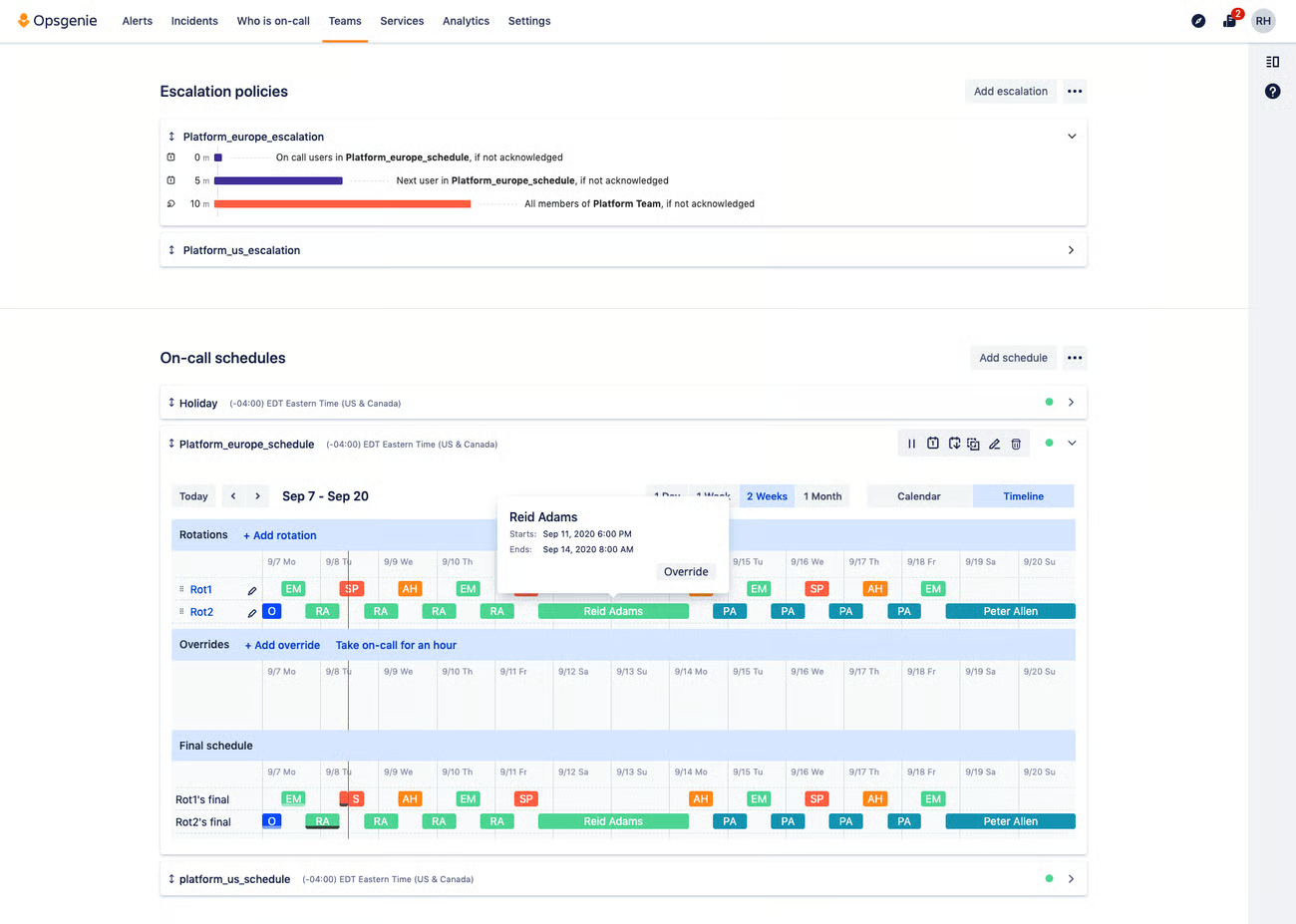
Opsgenie's scheduling interface is well-structured and easy to read. The dashboard surfaces the primary rotation, any active overrides, and the final computed schedule in a single view. A calendar/timeline toggle lets you see coverage patterns at different levels of granularity.
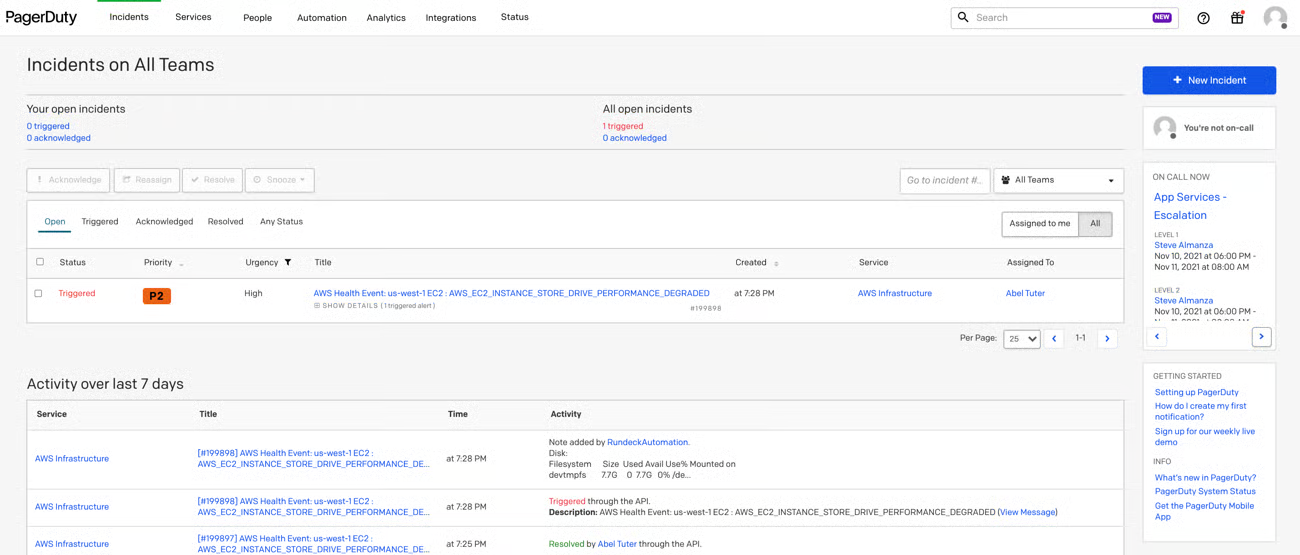
PagerDuty's scheduling page covers the same ground but is harder to navigate in practice. The timezone picker is a recurring pain point for distributed teams. It's not immediately clear how schedule entries will appear to engineers in different time zones, which creates coordination overhead.
Winner: Opsgenie, for cleaner scheduling UX and better at-a-glance readability.
2. Alerting: roughly equal
Both platforms support phone calls, SMS, email, Slack, Microsoft Teams, and mobile push notifications. The available channels on any given plan depend on pricing tier rather than platform capability.
Opsgenie's escalation configuration is the weaker point here. The settings are buried in the Teams menu, and building a multi-step escalation that combines phone, email, and Slack channels requires more navigation than it should. The lack of clear labeling makes it harder for engineers new to the platform to get it right without trial and error.
PagerDuty's escalation UX is more intuitive. Labels and descriptions explain what each option does, which matters when you're onboarding a new team member or modifying a policy during an active incident. The copy is clearer, and the logical flow of configuration steps is easier to follow.
Result: Draw, with PagerDuty having a slight edge in escalation usability and Opsgenie offering comparable raw channel coverage.
3. Incident lifecycle (advantage: PagerDuty)
Opsgenie's incident view is clean and includes a useful timeline. Each resolved incident links to a basic post-mortem template, which is a practical touch. However, adding collaborators mid-incident is unintuitive, and there's no way to add inline notes or comments to an active incident, a meaningful gap when multiple engineers are working a problem simultaneously.
PagerDuty handles the incident lifecycle more completely. Adding responders, escalating to other teams, and leaving notes on active incidents are all straightforward operations. The collaboration model within an incident is clearly designed for multi-person response scenarios, not just individual acknowledgment and resolution.
Winner: PagerDuty, for more complete incident collaboration and a more natural multi-responder workflow.
4. Integrations: both are strong
Both platforms offer extensive integration libraries covering monitoring tools, ChatOps platforms, ticketing systems, ITSM tools, and more. The available coverage is broad enough to satisfy most engineering teams regardless of stack.
Opsgenie has a specific advantage for Atlassian shops. Jira, Trello, Confluence, and other Atlassian products integrate within a few clicks, and teams can use a single login across the Atlassian suite. If your organization already runs on Atlassian tooling, this reduces friction meaningfully.
Result: Draw, with Opsgenie pulling ahead for Atlassian-heavy environments.
Pricing: what to watch out for
Pricing is often the deciding factor, and both PagerDuty and Opsgenie have reputations for being more complex to evaluate than their list prices suggest.
A few things worth understanding before committing:
Add-ons can significantly increase the effective price. Both platforms offer features (certain alert channels, advanced analytics, specific integrations) as paid add-ons rather than including them in base tiers. Depending on your setup, these can meaningfully inflate the total cost compared to the headline per-user price.
Annual commitments reduce flexibility. Both platforms push teams toward annual contracts for better pricing. Before signing, be clear on what happens if your team size or needs change mid-term.
Enterprise sales tactics are a known issue. Public discussions on Reddit and other engineering communities include specific accounts of aggressive sales practices from both vendors around renewal and enterprise tier negotiations. If you're evaluating an enterprise plan, it's worth reading through community threads on this before entering a sales process.
Summary scorecard
| Category | PagerDuty | Opsgenie | FluidifyAI Regen |
|---|---|---|---|
| On-call scheduling UX | ⭐⭐⭐ | ⭐⭐⭐⭐ | ⭐⭐⭐⭐ |
| Alerting channels | ⭐⭐⭐⭐ | ⭐⭐⭐⭐ | ⭐⭐⭐⭐ |
| Escalation setup | ⭐⭐⭐⭐ | ⭐⭐⭐ | ⭐⭐⭐⭐ |
| Incident collaboration | ⭐⭐⭐⭐ | ⭐⭐⭐ | ⭐⭐⭐⭐ |
| Integration breadth | ⭐⭐⭐⭐ | ⭐⭐⭐⭐ | ⭐⭐⭐⭐ |
| AI post-mortems | ✗ | ✗ | ✓ |
| Self-hosted | ✗ | ✗ | ✓ |
| SSO free | ✗ | ✗ | ✓ |
| Free tier | ✗ | ✓ (up to 5 users) | ✓ (unlimited, AGPLv3) |
| Pricing predictability | ⭐⭐ | ⭐⭐⭐ | ⭐⭐⭐⭐⭐ |
How to decide
Choose PagerDuty if your team needs the most expensive incident lifecycle tooling available and is willing to pay for it, and if your organization is happy to bear the cost.
Choose Opsgenie if your organization runs on Atlassian tooling, or you want a more flexible solution than PagerDuty.
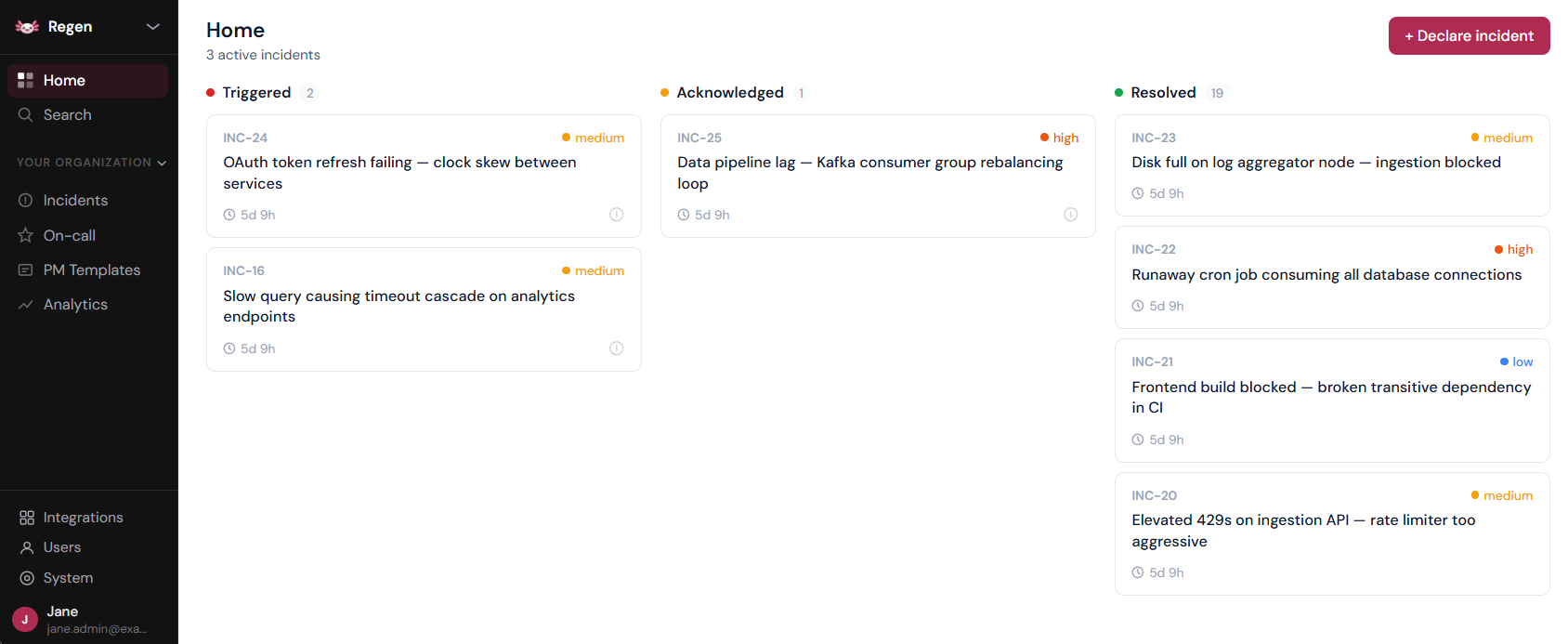
Consider FluidifyAI Regen if you want flat pricing against PagerDuty or incident.io, or an in-house hosting solution with a clear migration path. Deploys in SaaS, on-prem, air-gapped, and other models, and charges a flat $100/month for unlimited seats, alerts, incidents, and postmortems.
Final thoughts
There's no objectively correct answer between PagerDuty and Opsgenie alone. Both are capable platforms with real trade-offs, and the scorecard above reflects that: Opsgenie edges ahead on scheduling clarity and Atlassian-heavy environments, PagerDuty handles the full incident lifecycle and escalation setup better.
Neither offers a self-hosted option, included AI post-mortems, or pricing that stays flat as headcount grows, and that's where FluidifyAI Regen wins by default. For teams not already locked into PagerDuty or Opsgenie, Regen is the straightforward recommendation: the same core on-call and incident management capability, at a flat $100/month regardless of team size, with a free self-hosted tier if SaaS isn't the right fit at all.
A note on pricing: the rates referenced above reflect each vendor's publicly published pricing as of October 2026. Vendors change pricing without much notice, so confirm current rates on the vendor's own pricing page before making a purchasing decision.