

A missed alert or a slow response can turn a small problem into a major outage. On-call management isn't optional: it's what keeps a team ahead of incidents instead of reacting to them after the damage is done.
The right on-call tool cuts mean time to resolution and keeps escalation paths consistent as a team grows. But the market is crowded, and most of these platforms look similar from the outside.
This post covers 10 on-call management tools worth evaluating in 2026.
Understanding On-Call Management Software
On-call management software makes sure the right engineer gets notified the moment something breaks. It handles escalation paths, sends notifications automatically, and gives visibility into where an incident stands at any point.
Essential Criteria for Selection
The right platform depends on your team's actual workflow. It needs to route every notification to the correct person through accurate scheduling and escalation logic, and it needs to integrate cleanly with the tools you already use, like Slack or Jira.
A good tool should be easy to set up and use, with analytics that help improve the process over time. As the team grows, it needs to scale without the cost or support quality falling apart.
1. FluidifyAI Regen
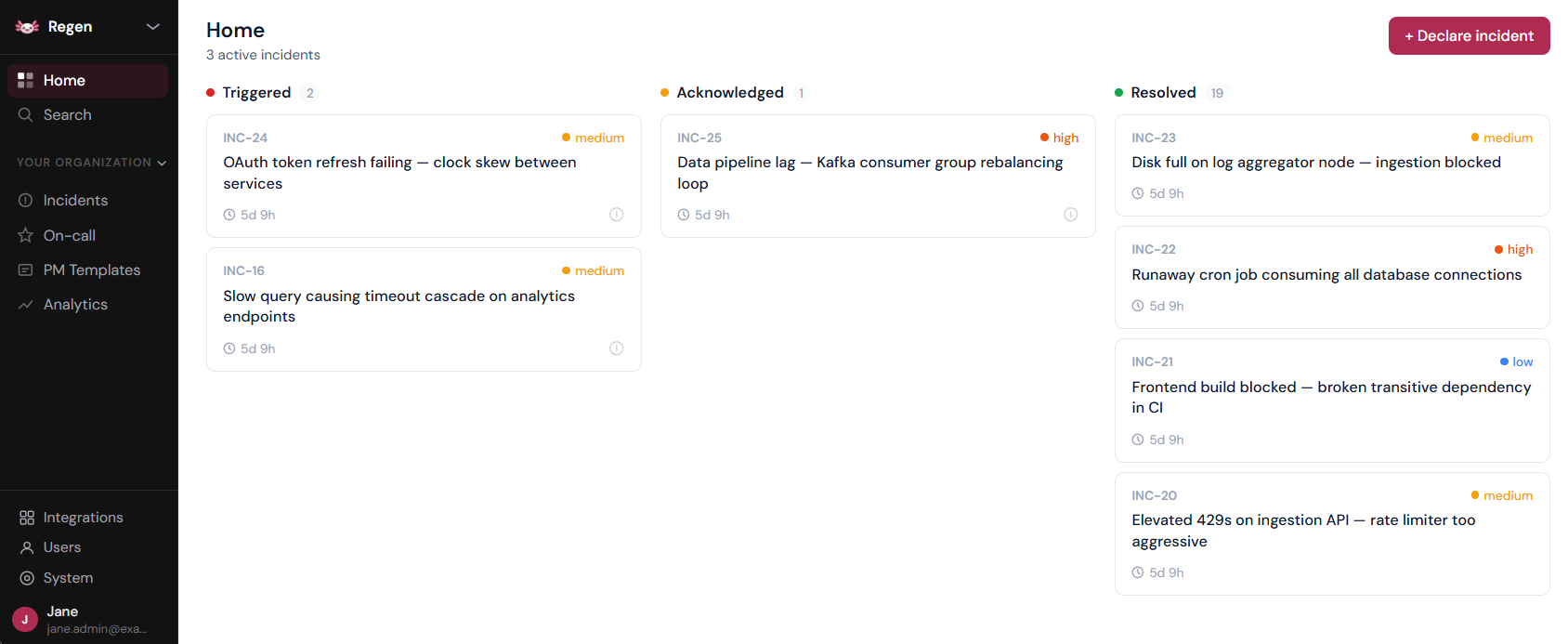
FluidifyAI Regen is an open-source incident management platform that combines alert management, incident coordination, on-call scheduling, and AI-powered post-mortems in a single self-hosted platform: no SaaS lock-in, no data sovereignty issues, and no $100k/year vendor tax.
Built as the Grafana OnCall replacement after its March 2026 archival, Regen offers a one-click migration path for stranded OSS users, with incident intelligence for teams of any size.
🌟 Key Features
- Alerts from any source (Prometheus, Grafana, CloudWatch), auto-create incidents, track immutable timelines, generate AI post-mortems
- AGPLv3 licensed, runs on your infrastructure, your data never leaves your network
- Layer-based rotations, overrides, multi-step escalation policies
- Slack and Teams native, bidirectional sync, bot commands (
/incident ack,/incident resolve) - BYO API key for Incident summaries, handoff digests, automated post-mortem generation from timeline data
- Free SSO/SAML for Okta, Azure AD, Google Workspace
- One-click import from Grafana, PagerDuty and Opsgenie migration of schedules, escalation policies, and integrations
➕ Pros
- Unlimited seats, $0 for a 200-person team vs. $100k/year for PagerDuty + incident.io
- Full control over your data
- SSO free, without security paywalled
- Community tier includes the full feature set; Enterprise adds SCIM, audit log export, and RBAC for SOC2 compliance
- Bring your own model provider key (OpenAI, Anthropic, or Ollama) without forced AI subscription
- Single platform for alerts, incidents, on-call, and post-mortems instead of duct-taping 3+ SaaS products
- Built for the Grafana OnCall refugees
➖ Cons
- SCIM, RBAC, and audit log export require the commercial Enterprise edition
- Post-mortem generation requires you to provide your own model provider API key (OpenAI, Anthropic, or Ollama)
💲 Pricing
Regen's Community edition is 100% free (AGPLv3) and includes everything: alerts, incidents, on-call scheduling, Slack/Teams integration, AI post-mortems, and SSO/SAML (no paywall).
Enterprise pricing applies only to organizations requiring SCIM provisioning, SOC2-ready audit log export, RBAC, and retention policies. Contact for custom Enterprise pricing.
Repository: github.com/FluidifyAI/Regen
2. Better Stack
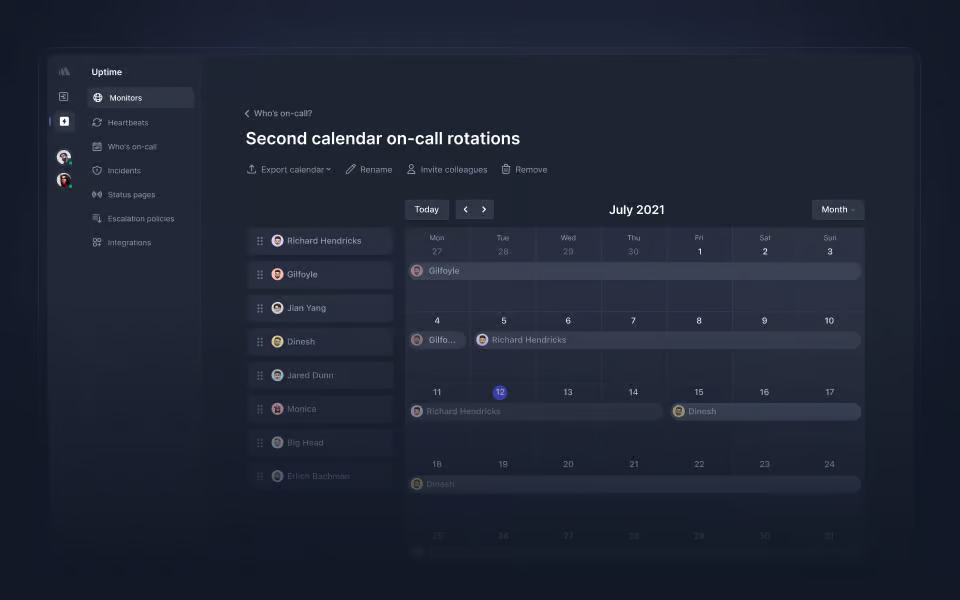
Better Stack combines observability, incident response, and team coordination in one platform. AI-based alert suppression and audit logging help teams catch problems before they escalate.
Beyond alerting, Better Stack covers API monitoring, cron job tracking, and centralized log aggregation.
🌟 Primary Capabilities
- Escalation logic and shift orchestration
- AI-enhanced suppression to minimize notification noise
- Intelligent alert clustering for related events
- Incident resolution natively within Slack
- Uptime and synthetic transaction monitoring
- Unified log and metric visualization
➕ Advantages
- AI-based filtering keeps engineers focused on high-priority alerts instead of background noise
- Grouping related alerts prevents dashboard clutter and streamlines the response effort
- Tight Slack integration speeds up communication during a major outage
- Pricing is published and predictable, with no surprise charges
➖ Limitations
- Advanced scheduling setups are less flexible than some niche competitors
💲 Pricing Details
A complimentary tier offers basic status pages and email notifications. The "Pay-as-you-go" tier begins at $29 monthly, introducing AI suppression and Slack-centric workflows. Large-scale organizations can opt for Enterprise plans featuring dedicated support and strict SLAs.
3. PagerDuty
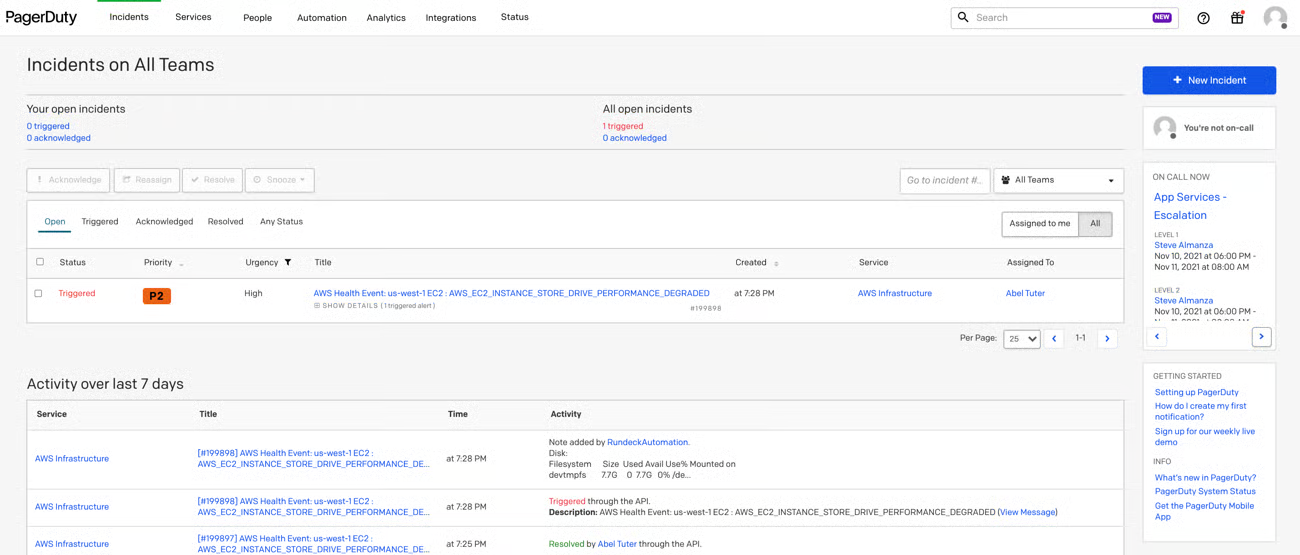
PagerDuty is the largest, most established name in on-call management, built to shorten resolution windows and automate routine operational work. Its AIOps layer filters noise and connects incident detection to automated remediation.
🌟 Primary Capabilities
- Comprehensive incident lifecycle tracking
- Signal filtering via machine learning
- Automated remediation scripts and scaling
- Custom incident logic and workflows
- Multi-channel alerting (Voice, SMS, Email, Push)
➕ Advantages
- Automated self-healing features reduce how often a human needs to step in.
- Over 700 integrations cover almost any tech stack.
- Automation handles repetitive scaling and resolution tasks.
➖ Limitations
- The learning curve for complex routing rules can be steep for new administrators.
- Premium features carry a higher price point than many alternatives.
💲 Pricing Details
Small teams can utilize a basic free version. Professional tiers start at $21 per user/month, while high-level Enterprise solutions offer custom quotes for AIOps and advanced transparency tools.
4. Opsgenie
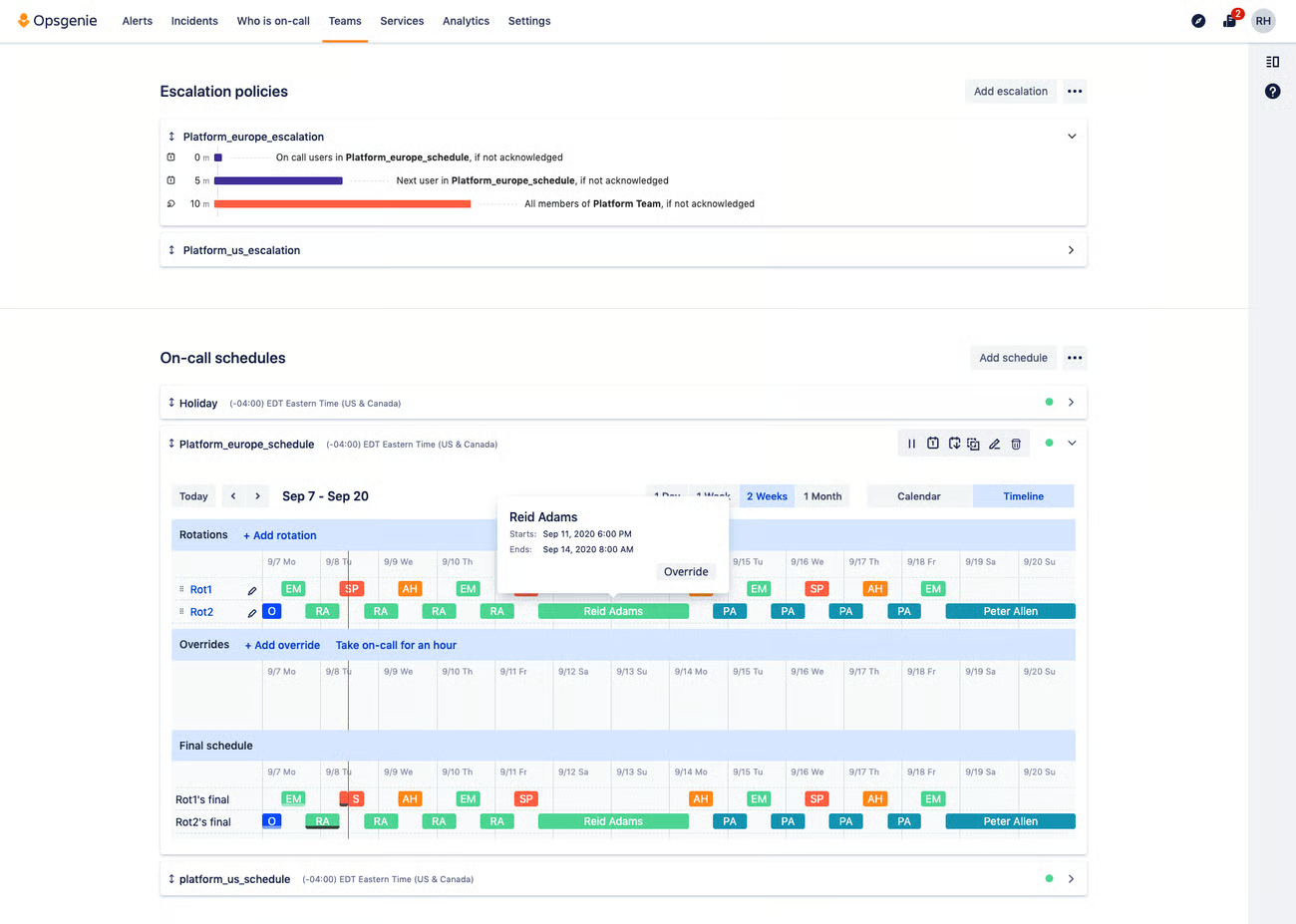
Opsgenie, owned by Atlassian, focuses on making sure critical signals don't get missed, with adaptive scheduling and service-aware routing.
🌟 Primary Capabilities
- End-to-end alert tracking
- Heartbeat monitoring to ensure tool health
- Dynamic on-call overrides
- Virtual "war rooms" for cross-functional collaboration
- Deep Jira and Microsoft Teams connectivity
➕ Advantages
- Detailed audit trails provide a historical record of all actions taken during an outage.
- Multi-channel delivery ensures responders are reached regardless of their location.
- Analytics help leadership spot team burnout and alert trends.
➖ Limitations
- The interface for managing large teams and reports can sometimes feel unintuitive.
- Deep reporting often necessitates manual data extraction for specialized insights.
💲 Pricing Details
Atlassian stopped selling new Opsgenie licenses in June 2025, so these published rates ($9.45-$31.90 per user/month) only apply to existing customers renewing a current contract; new teams can no longer buy Opsgenie directly.
5. xMatters
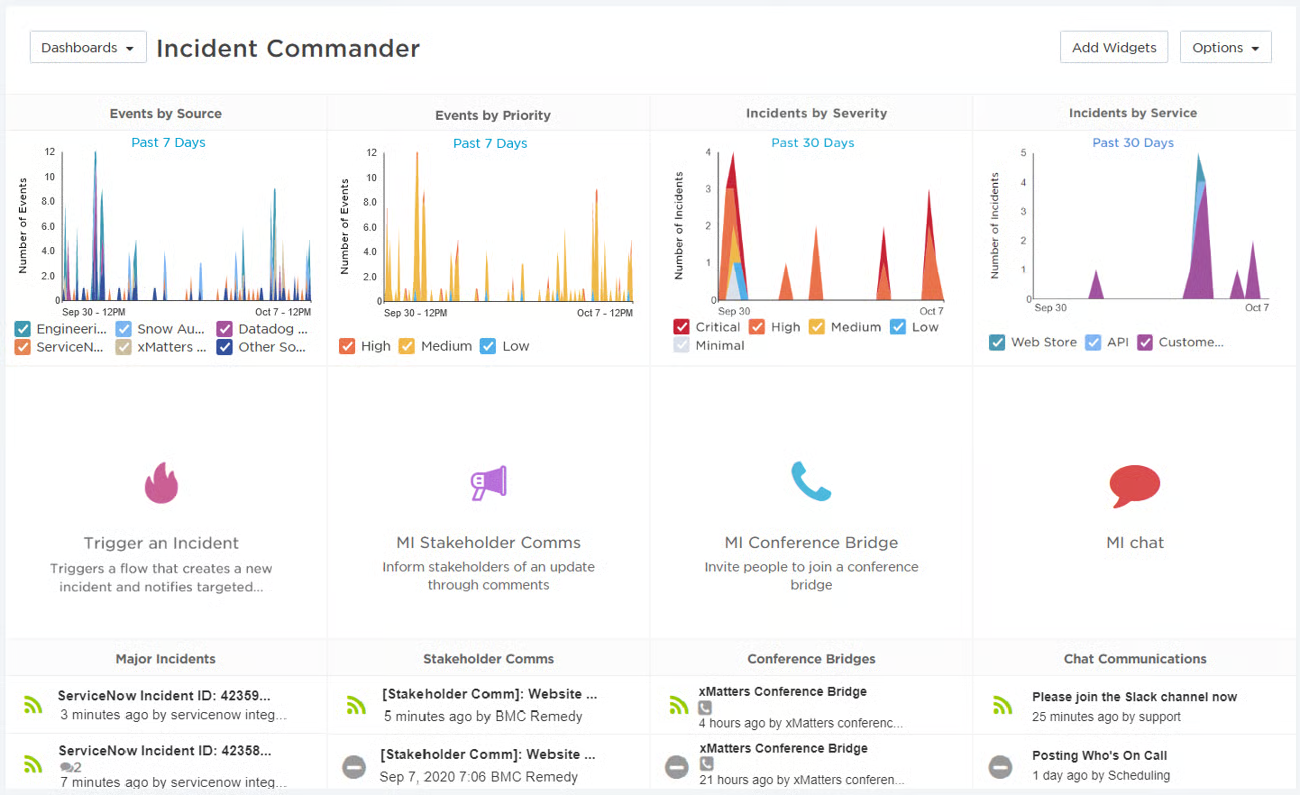
xMatters focuses on embedding incident response into daily workflow, with shift management and alert resolution built for handling from a phone.
🌟 Primary Capabilities
- No-code and low-code workflow automation
- Signal intelligence to suppress non-critical alerts
- Mobile-first interface for remote management
- Context-aware notifications to provide immediate insights
➕ Advantages
- Strong mobile support keeps teams connected while away from a desk.
- Context-rich alerts help responders understand the "why" before they even log in.
- Adaptive incident management scales with the severity of the event.
➖ Limitations
- Initial setup and workflow customization can be technically demanding.
- Advanced data visualization may require external tools.
💲 Pricing Details
A free tier supports up to 10 users. The "Essentials" plan is priced at $9 per user/month, with a $39 "Base" plan for those needing more robust template libraries and notification volume.
6. Splunk On-Call
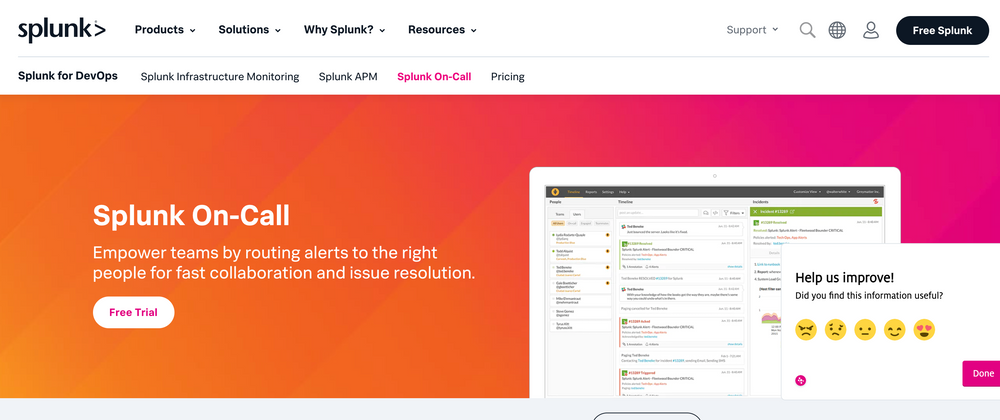
Splunk On-Call (formerly VictorOps) is mobile-first and uses machine learning to recommend responders based on historical incident data, aiming to make being on-call less taxing.
🌟 Primary Capabilities
- ML-driven responder suggestions
- Automated creation of collaborative "war rooms"
- Real-time incident timeline tracking
- Automated post-incident review generation
➕ Advantages
- Machine learning helps identify the best person for a specific technical failure.
- The mobile app is highly optimized for fast response times.
- Clear historical trails help in refining future mitigation strategies.
➖ Limitations
- The pricing tiers and structure can be difficult to navigate during the sales process.
💲 Pricing Details
Starter plans begin at $5 per user/month for small teams. More sophisticated needs are met through custom-quoted Enterprise plans that offer unlimited data retention.
7. Squadcast (now SolarWinds Incident Response)
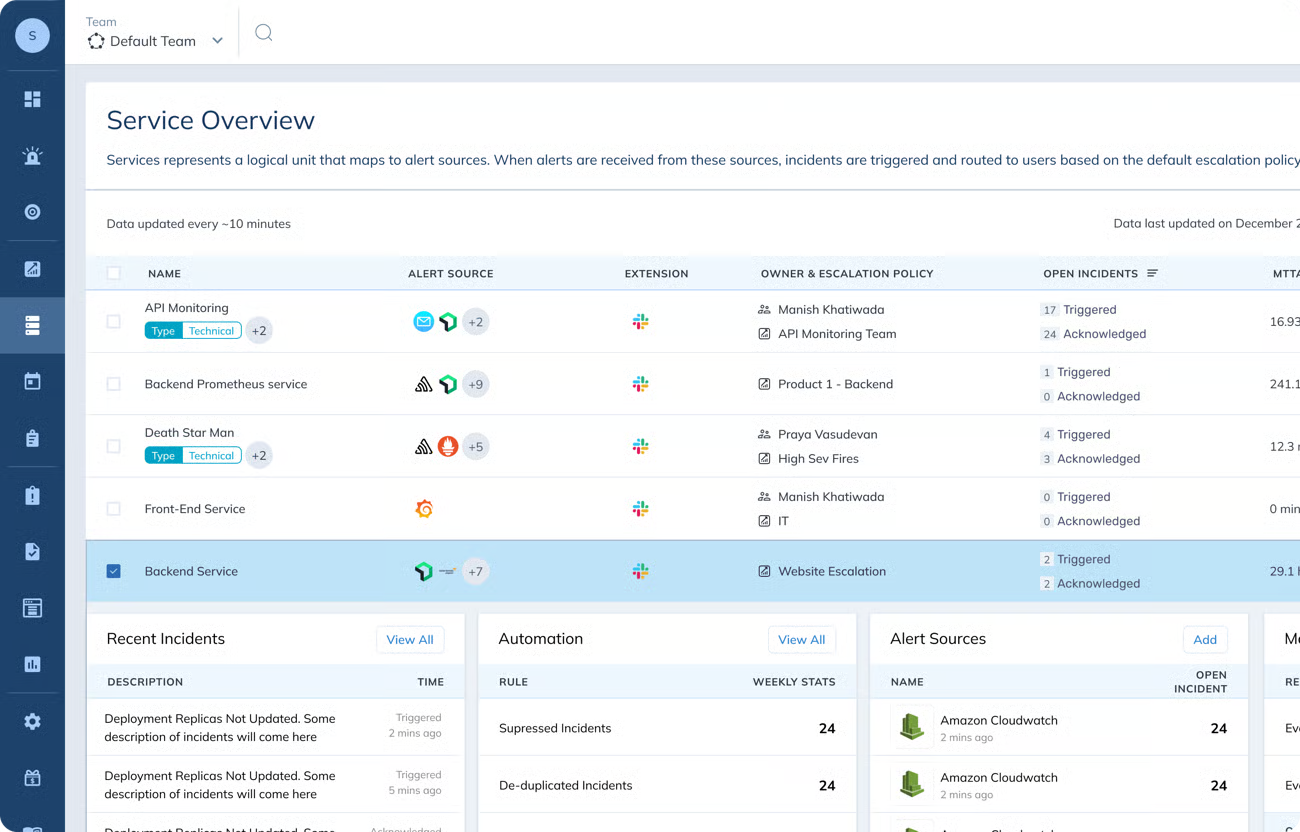
Squadcast was acquired by SolarWinds and rebranded as SolarWinds Incident Response in 2024. It combines alert correlation, on-call scheduling, and incident collaboration with a focus on SRE-style workflows like SLO tracking and service graphs.
🌟 Primary Capabilities
Alert correlation and intelligent grouping to cut noise before it reaches an on-call engineer
On-call scheduling with escalation policies and a mobile app
SLO tracking and service graphs aimed at reliability-focused teams
Postmortem templates and automated runbooks
➕ Advantages
SLO and service-graph tooling goes further than most on-call-first competitors
Public status pages included from the Premium tier
Postmortem templates reduce the blank-page problem after an incident
➖ Limitations
1-year data retention and status pages require the $24/user/month Premium tier, not the base Pro plan
AI-powered alert grouping and ServiceNow sync are Enterprise-only, with custom pricing
💲 Pricing Details
Pro starts at $15/user/month (billed annually): schedules, escalations, postmortems, and the mobile app. Premium is $24/user/month, adding SLO tracking, status pages, and 1-year retention. Enterprise is custom-quoted for unlimited retention and AI features. Pricing as of the SolarWinds Incident Response pricing page, checked October 2026.
8. AlertOps
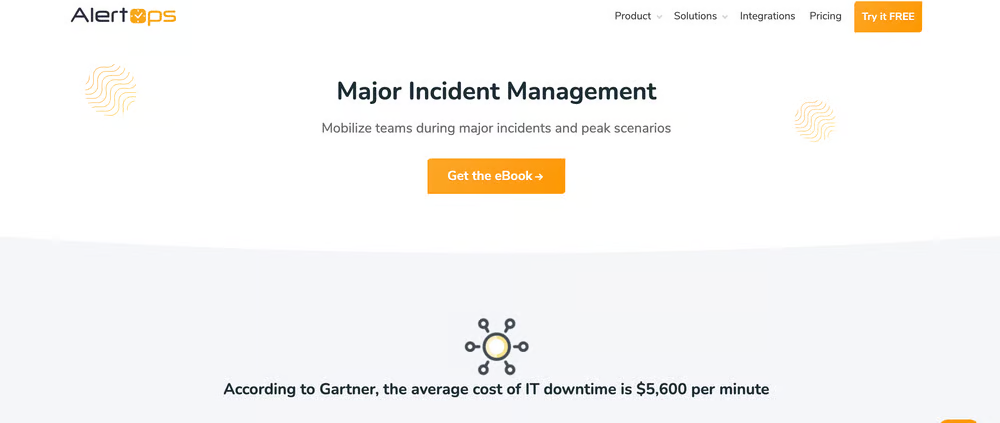
AlertOps prioritizes customizability over everything else, built for enterprises with non-standard workflows that other tools don't easily accommodate.
🌟 Primary Capabilities
- No-code workflow engine for custom logic
- Live voice call routing
- Comprehensive SLA tracking and management
- Multi-modal notification pathways
➕ Advantages
- Highly adaptable to specific organizational hierarchies and rules.
- User-friendly interface allows for quick deployment of basic features.
- Supports legacy and custom in-house application integrations via API.
➖ Limitations
- Mastering the full depth of customization can be a complex undertaking.
- The UI feels dated compared to newer competitors.
💲 Pricing Details
A basic starter plan is available for free. Standard tiers cost $8 per user/month, while the $28 Enterprise plan offers the most granular reporting and role management.
9. Incident.io
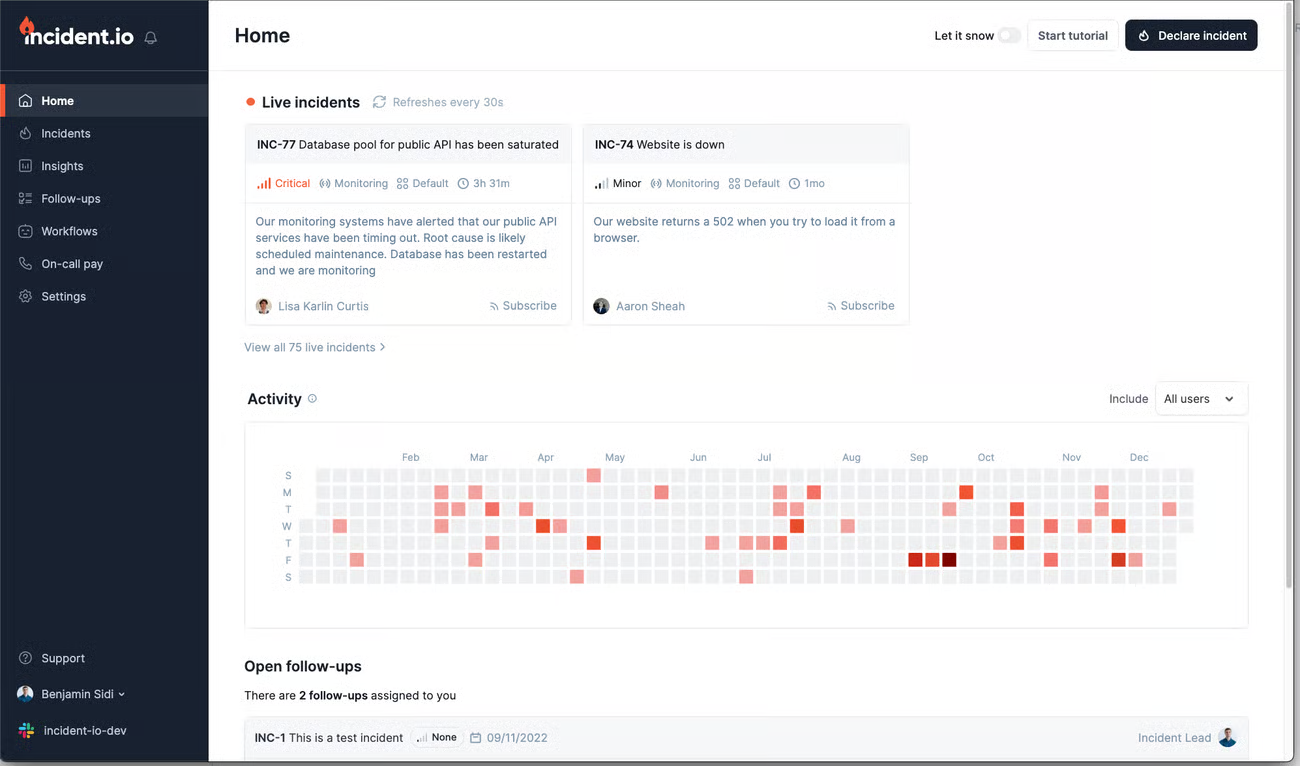
This platform is built specifically to live inside Slack or Microsoft Teams. It treats an incident as a collaborative event rather than just a ticket, automating the administrative overhead of managing an outage.
🌟 Primary Capabilities
- Native Slack/Teams incident command
- Integrated public and private status pages
- AI-generated incident summaries and follow-up tasks
- Global rotation support including "shadow" shifts
➕ Advantages
- Extremely low friction; if you can use Slack, you can use this tool.
- AI automation handles the "busy work" like writing summaries for stakeholders.
- Simplifies moving from internal incident response to external status-page communication.
➖ Limitations
- The public API is not yet comprehensive enough for total lifecycle automation.
- Fewer integrations for HR-specific platforms like Workday.
💲 Pricing Details
Free for up to five users. The "Team" plan is $15 per user/month, while the $25 "Pro" plan introduces advanced analytics and support for complex, multi-schedule rotations.
10. Rootly
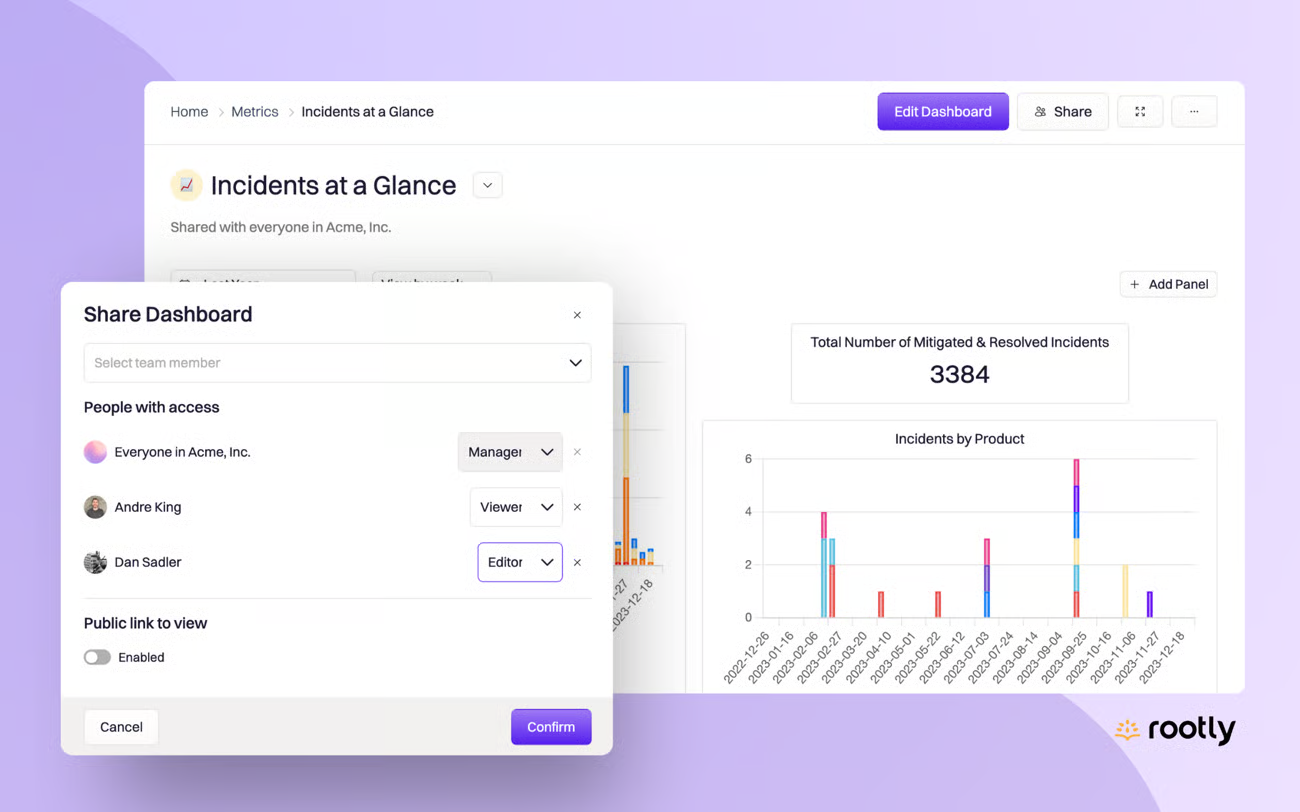
Rootly focuses on making incident response feel manageable under pressure, with fast onboarding and built-in templates to avoid a long setup process.
🌟 Primary Capabilities
- Automated task and action-item tracking
- Native "shadow" rotations for trainee onboarding
- Built-in schedule gap detection
- Full lifecycle management from detection to retrospective
➕ Advantages
- Consolidates alerting, response, and post-mortems, reducing tool sprawl.
- Enterprise-grade security and role-based access are standard.
- The interface is modern and designed to reduce cognitive load during crises.
➖ Limitations
- Visual dashboards currently lack the interactivity required for deep-dive data exploration.
- Migrating highly rigid, pre-existing workflows into Rootly can take significant effort.
💲 Pricing Details
The Essentials plan is set at $20 per user/month. Larger organizations requiring custom security configurations can negotiate tailored Scale plans.
Conclusion
Choosing the right on-call management solution depends on your team's size, technical requirements, and budget constraints. Whether you prioritize open-source flexibility with FluidifyAI Regen, comprehensive monitoring with Better Stack, or enterprise-grade automation with PagerDuty, the tools listed above represent the best options available in 2026.
For teams seeking complete control over their incident management infrastructure without vendor lock-in, open-source solutions like FluidifyAI Regen offer compelling value. Meanwhile, SaaS platforms provide turnkey solutions with minimal setup overhead.
Evaluate your specific needs, try the available free tiers, and select the platform that best aligns with your operational philosophy and growth trajectory.
A note on pricing: the rates referenced above reflect each vendor's publicly published pricing as of October 2026. Vendors change pricing without much notice, so confirm current rates on the vendor's own pricing page before making a purchasing decision.