

Missing a critical alert or slow incident response can cascade into system-wide failures, leaving your team locked in reactive firefighting mode. On-call management isn't a nice-to-have: it's foundational to infrastructure resilience and maintaining user trust.
The right platform helps your team operate with precision, cut mean time to resolution, and keep systems healthy. But with a crowded market of tools claiming to do it all, finding the right fit takes more than a quick Google search.
This guide breaks down the top 10 on-call management alternatives to Grafana OnCall, so you can make a confident, informed choice.
What Is On-Call Management Software?
On-call management platforms ensure the right engineer gets notified the moment something breaks. They handle escalation paths, automate alert routing, and give you full visibility into an incident from trigger to resolution.
What to Look for in a Grafana OnCall Alternative
The best tools share a few non-negotiables: intelligent scheduling, customizable escalation logic, and tight integrations with the tools your team already uses (Slack, Jira, PagerDuty, and so on).
Beyond the basics, look for a clean UI with a short learning curve, analytics that help you improve over time, and a pricing model that scales without surprises. Reliable support matters too, especially when you're mid-incident at 2 AM.
Quick Comparison Table
| Tool | Primary Use Case | Cost Structure |
|---|---|---|
| FluidifyAI Regen | Open-source incident management with alerts, on-call, AI post-mortems with BYO AI | Free (AGPLv3, SSO included, BYO AI); Enterprise pricing |
| Better Stack | Integrated monitoring and AI-driven alerting | Free; starts at $29/mo; Enterprise available |
| PagerDuty | High-tier incident automation and ecosystem connectivity | Free; starts at $21/user/mo |
| Opsgenie | Adaptive scheduling with deep tool synchronization | Free; starts at $9.45/user/mo |
| xMatters | Workflow-embedded management with automation | Free; starts at $9/user/mo |
| Squadcast | Unified reliability platform with incident workflows | Free (up to 5 users); from $9/user/mo |
| Splunk On-Call | Mobile-centric response with noise suppression | From $5/user/mo; Enterprise available |
| AlertOps | Tailorable workflows for complex incident paths | Free; tiers from $8 to $28/user/mo |
| Incident.io | Slack-integrated response and lifecycle management | Free (up to 5 users); from $15/user/mo |
| Rootly | Comprehensive management via a streamlined UI | From $20/user/mo; custom enterprise plans |
1. FluidifyAI Regen
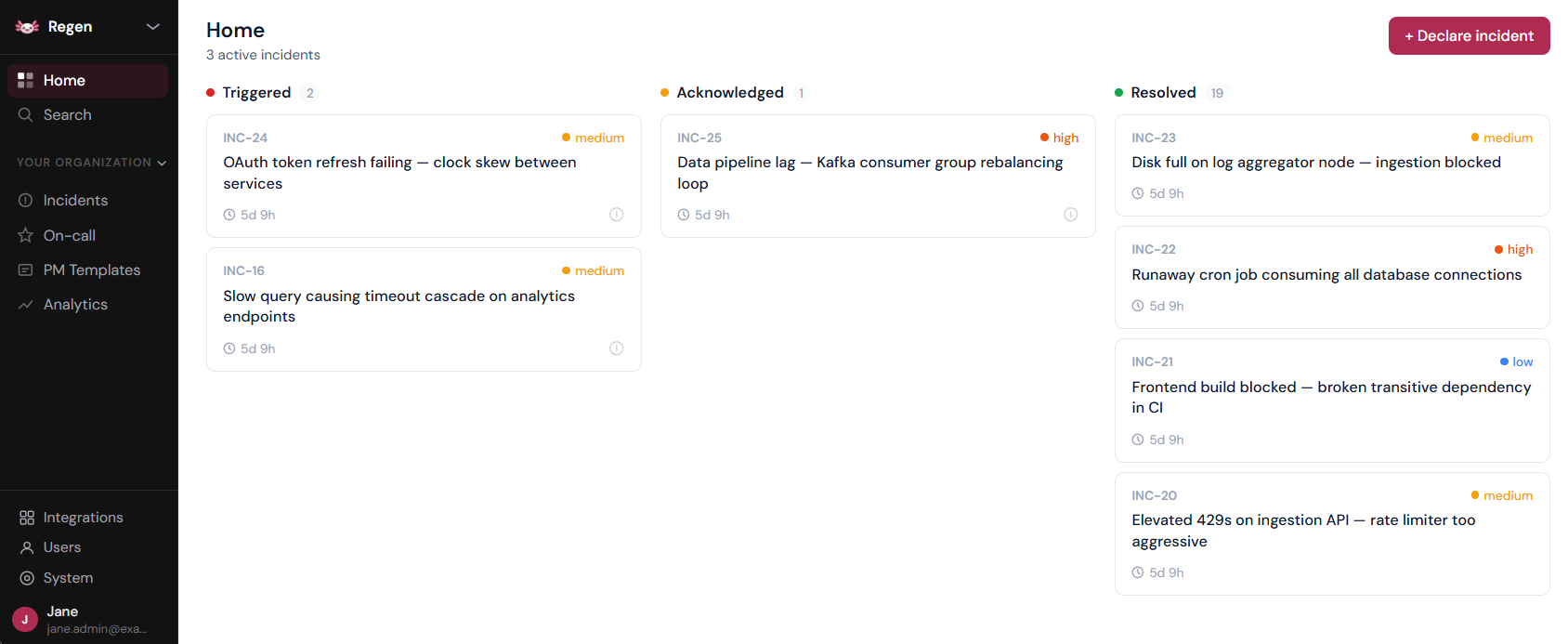
FluidifyAI Regen is an open-source incident management platform that combines alert management, incident coordination, on-call scheduling, and AI-powered post-mortems in a single self-hosted platform: no SaaS lock-in, no data sovereignty issues, and no $100k/year vendor tax.
Built as the Grafana OnCall replacement after its March 2026 archival, Regen offers a one-click migration path for stranded OSS users while delivering enterprise-grade incident intelligence for teams of any size.
🌟 Key Features
- Alerts from any source (Prometheus, Grafana, CloudWatch), auto-create incidents, track immutable timelines, generate AI post-mortems
- AGPLv3 licensed, runs on your infrastructure, your data never leaves your network
- Layer-based rotations, overrides, multi-step escalation policies
- Slack and Teams native, bidirectional sync, bot commands (
/incident ack,/incident resolve) - BYO API key for Incident summaries, handoff digests, automated post-mortem generation from timeline data
- Free SSO/SAML for Okta, Azure AD, Google Workspace
- One-click import from Grafana, PagerDuty and Opsgenie migration of schedules, escalation policies, and integrations
➕ Pros
- Unlimited seats, $0 for a 200-person team vs. $100k/year for PagerDuty + incident.io
- Full control over your data
- SSO free, without security paywalled
- Community tier is a fully-functional Ferrari; Enterprise adds SCIM, audit log export, and RBAC for SOC2 compliance
- Bring your own OpenAI API key without forced AI subscription
- Single platform for alerts, incidents, on-call, and post-mortems instead of duct-taping 3+ SaaS products
- Built for the Grafana OnCall refugees
➖ Cons
- SCIM, RBAC, and audit log export require the commercial Enterprise edition
- Post-mortem generation requires you to provide your own OpenAI API key
💲 Pricing
Regen's Community edition is 100% free (AGPLv3) and includes everything: alerts, incidents, on-call scheduling, Slack/Teams integration, AI post-mortems, and SSO/SAML (no paywall).
Enterprise pricing applies only to organizations requiring SCIM provisioning, SOC2-ready audit log export, RBAC, and retention policies. Contact for custom Enterprise pricing.
Repository: github.com/FluidifyAI/Regen
2. Better Stack
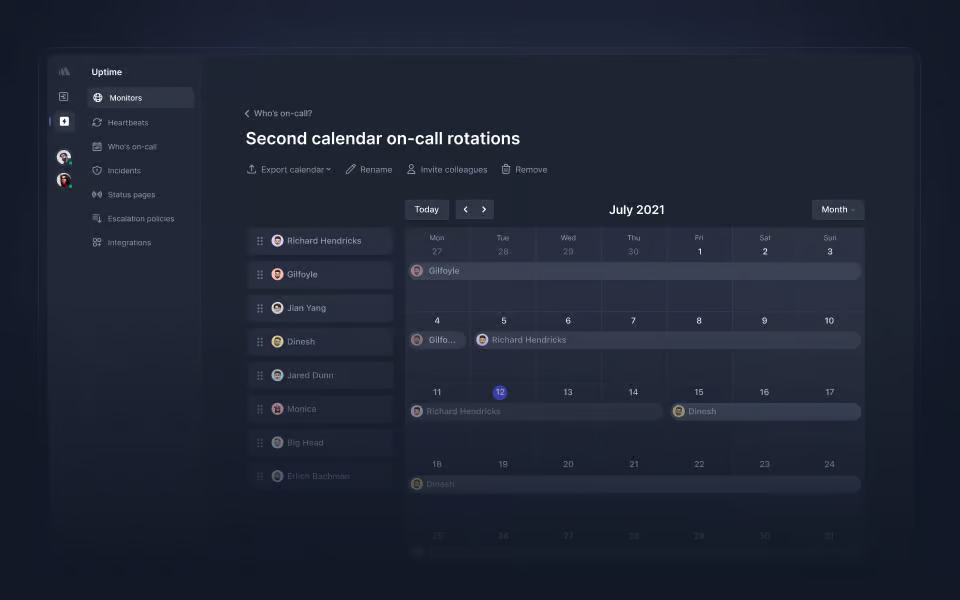
Better Stack serves as a multi-faceted utility that merges observability, incident resolution, and team synchronization into a cohesive environment. By leveraging AI-centric alert suppression and sophisticated audit logs, it allows teams to preemptively manage failures and protect system integrity.
Beyond its core alerting functions, Better Stack provides a holistic infrastructure view, encompassing API monitoring, cron job tracking, and centralized log aggregation.
🌟 Primary Capabilities
- Escalation logic and shift orchestration
- AI-enhanced suppression to minimize notification noise
- Intelligent alert clustering for related events
- Incident resolution natively within Slack
- Uptime and synthetic transaction monitoring
- Unified log and metric visualization
➕ Advantages
- AI-led filtering ensures engineers focus on high-priority signals rather than background noise
- Grouping related alerts prevents dashboard clutter and streamlines the response effort
- Tight Slack integration facilitates rapid-fire communication during high-stakes outages
- A transparent pricing model eliminates unexpected financial overhead
➖ Limitations
- Some advanced scheduling permutations may feel less flexible compared to niche competitors
💲 Pricing Details
A complimentary tier offers basic status pages and email notifications. The "Pay-as-you-go" tier begins at $29 monthly, introducing AI suppression and Slack-centric workflows. Large-scale organizations can opt for Enterprise plans featuring dedicated support and strict SLAs.
3. PagerDuty
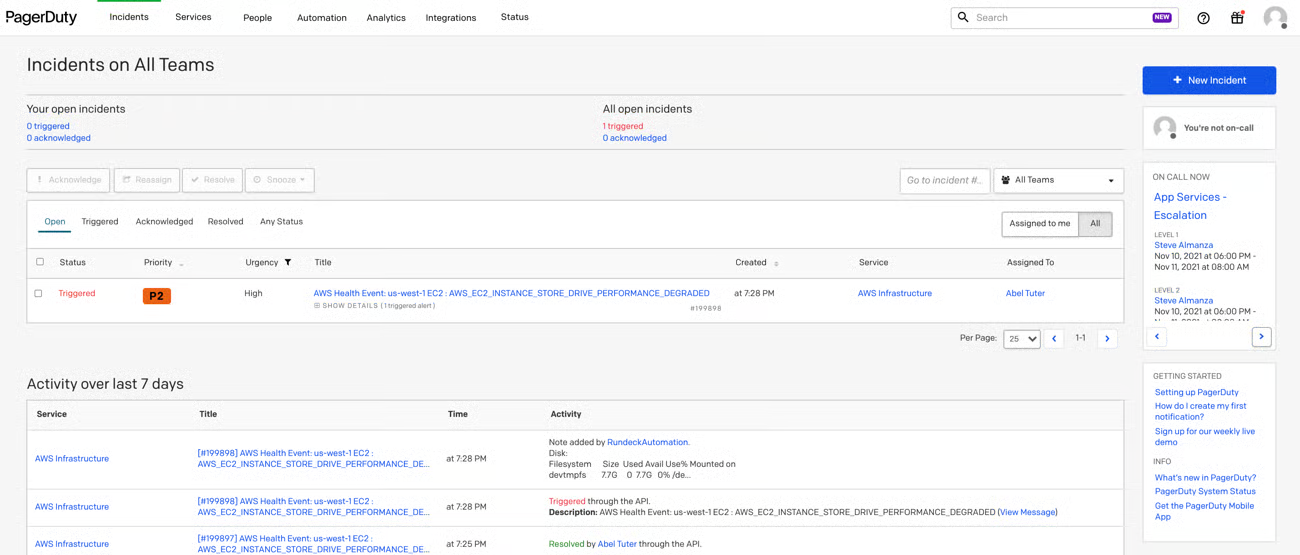
PagerDuty is a titan in the on-call sector, designed to shorten resolution windows and automate mundane operational tasks. Utilizing sophisticated AIOps, it filters out environmental noise to enhance system reliability. It acts as a bridge between incident detection and automated remediation.
🌟 Primary Capabilities
- Comprehensive incident lifecycle tracking
- Signal filtering via machine learning
- Automated remediation scripts and scaling
- Bespoke incident logic and workflows
- Multi-channel alerting (Voice, SMS, Email, Push)
➕ Advantages
- Automated self-healing features significantly reduce human intervention requirements.
- A massive library of over 700 integrations fits almost any tech stack.
- Robust automation handles repetitive scaling and resolution tasks with ease.
➖ Limitations
- The learning curve for complex routing rules can be steep for new administrators.
- Premium features carry a higher price point than many alternatives.
💲 Pricing Details
Small teams can utilize a basic free version. Professional tiers start at $21 per user/month, while high-level Enterprise solutions offer custom quotes for AIOps and advanced transparency tools.
4. Opsgenie
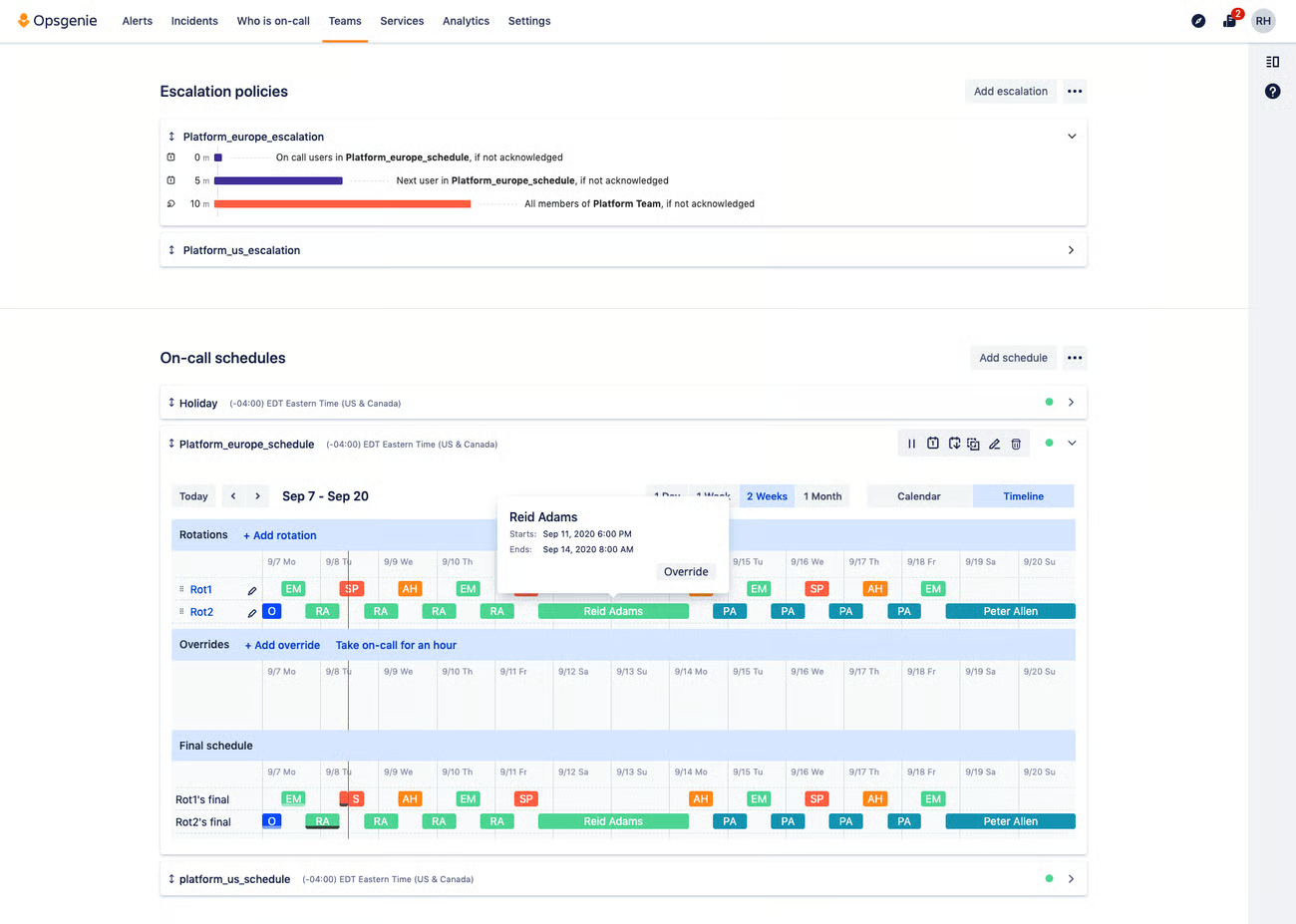
An Atlassian-owned powerhouse, Opsgenie ensures that mission-critical signals are never lost. It focuses on adaptive scheduling and service-aware management, ensuring that technical responses align with broader business objectives.
🌟 Primary Capabilities
- End-to-end alert tracking
- Heartbeat monitoring to ensure tool health
- Dynamic on-call overrides
- Virtual "war rooms" for cross-functional collaboration
- Deep Jira and Microsoft Teams connectivity
➕ Advantages
- Detailed audit trails provide a historical record of all actions taken during an outage.
- Multi-channel delivery ensures responders are reached regardless of their location.
- Sophisticated analytics help leadership identify team burnout and alert trends.
➖ Limitations
- The interface for managing large teams and reports can sometimes feel unintuitive.
- Deep reporting often necessitates manual data extraction for specialized insights.
💲 Pricing Details
Offers a free entry point for small groups. Essential paid features begin at $9.45 per user/month, scaling up to $31.90 for the full Enterprise suite including advanced analytics.
5. xMatters
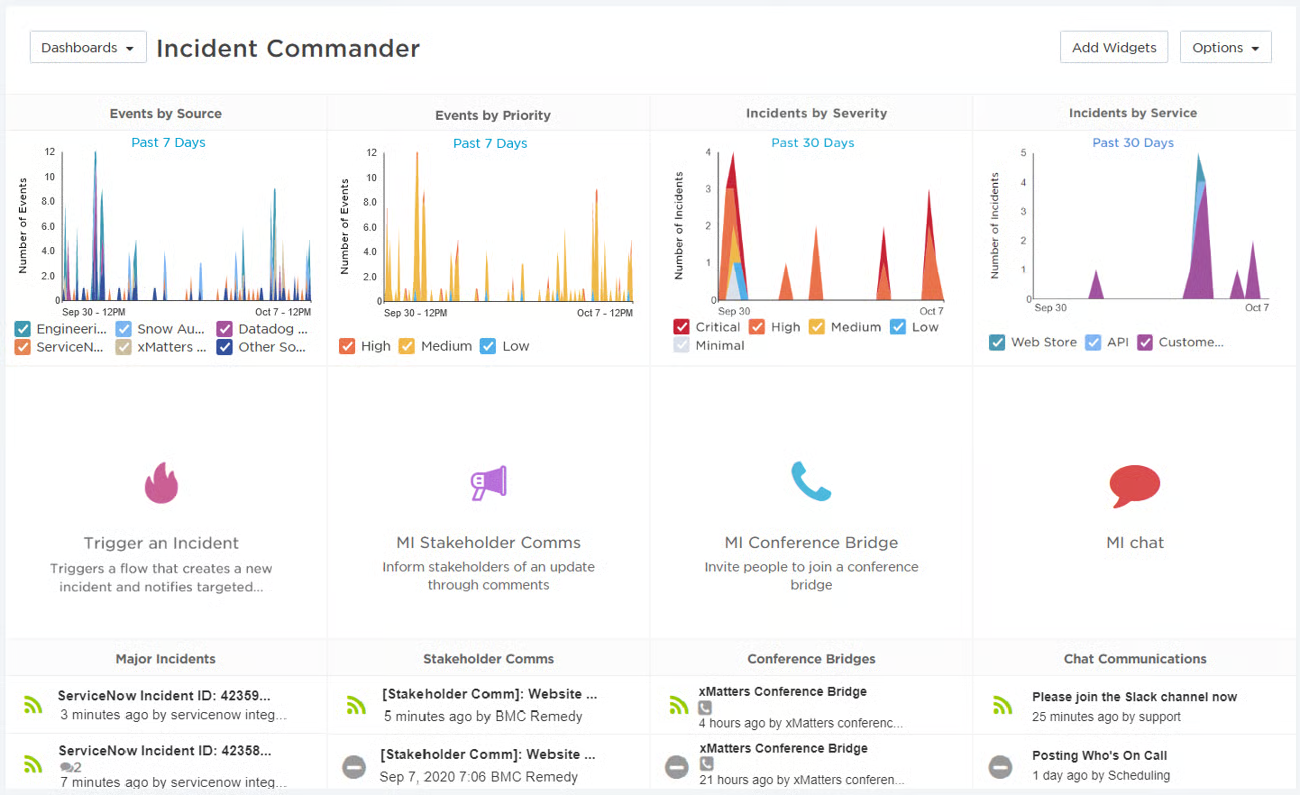
xMatters focuses on embedding incident response directly into the flow of work. It is designed for the modern, mobile engineer, allowing for shift management and alert resolution directly from a smartphone.
🌟 Primary Capabilities
- No-code and low-code workflow automation
- Signal intelligence to suppress non-critical alerts
- Mobile-first interface for remote management
- Context-aware notifications to provide immediate insights
➕ Advantages
- High mobile accessibility ensures teams stay connected while on the move.
- Context-rich alerts help responders understand the "why" before they even log in.
- Adaptive incident management scales with the severity of the event.
➖ Limitations
- Initial setup and workflow customization can be technically demanding.
- Advanced data visualization may require external tools.
💲 Pricing Details
A free tier supports up to 10 users. The "Essentials" plan is priced at $9 per user/month, with a $39 "Base" plan for those needing more robust template libraries and notification volume.
6. Splunk On-Call
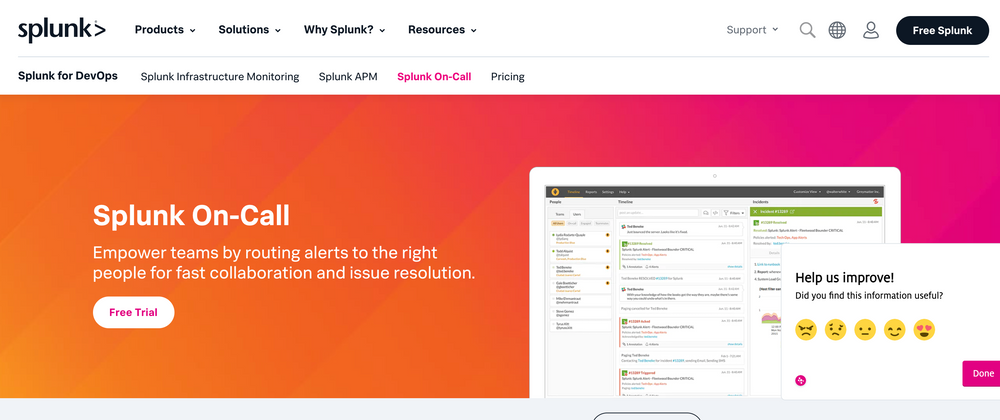
Splunk On-Call (formerly VictorOps) emphasizes a mobile-first philosophy combined with machine learning. It aims to make being on-call less taxing by recommending responders based on historical incident data.
🌟 Primary Capabilities
- ML-driven responder suggestions
- Automated creation of collaborative "war rooms"
- Real-time incident timeline tracking
- Automated post-incident review generation
➕ Advantages
- Machine learning helps identify the best person for a specific technical failure.
- The mobile app is highly optimized for fast response times.
- Clear historical trails help in refining future mitigation strategies.
➖ Limitations
- The pricing tiers and structure can be difficult to navigate during the sales process.
💲 Pricing Details
Starter plans begin at $5 per user/month for small teams. More sophisticated needs are met through custom-quoted Enterprise plans that offer unlimited data retention.
7. Squadcast
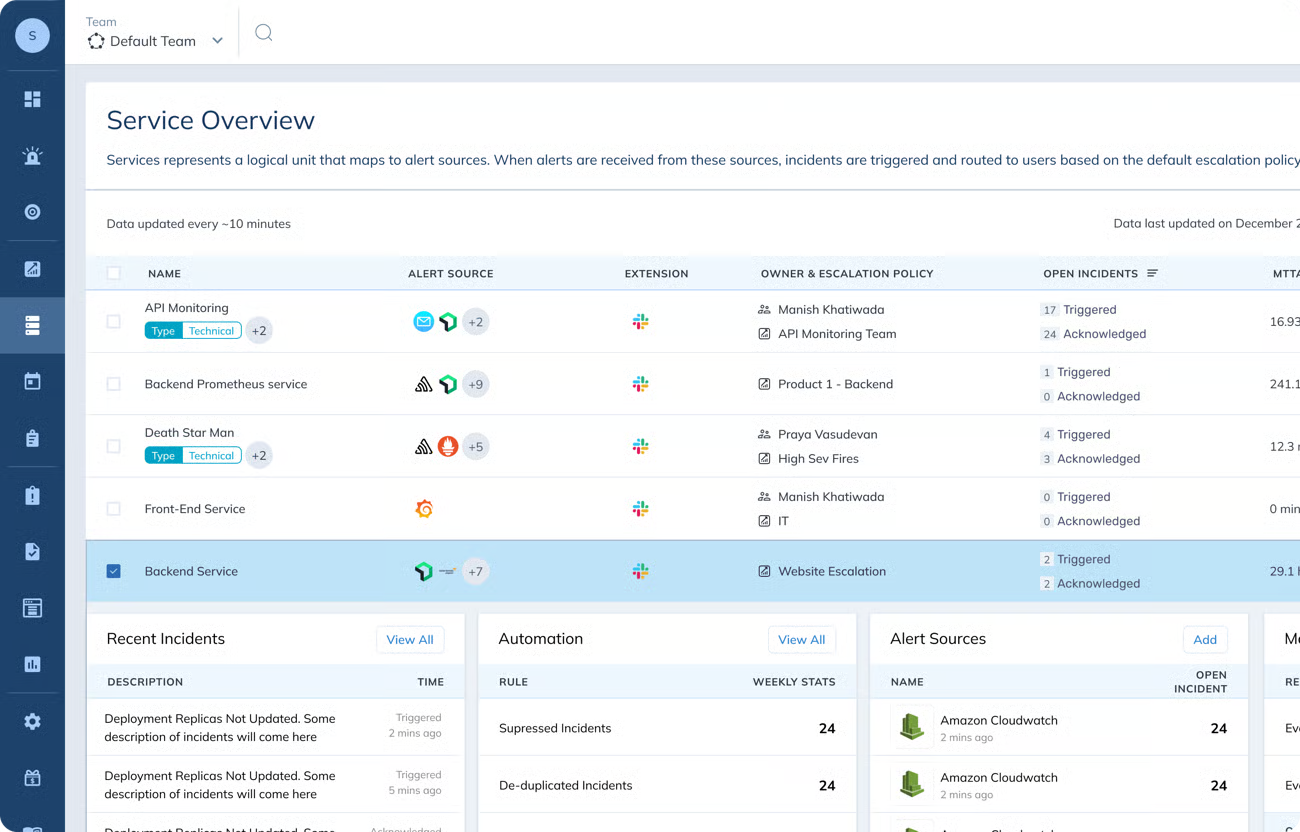
Splunk On-Call (formerly VictorOps) emphasizes a mobile-first philosophy combined with machine learning. It aims to make being on-call less taxing by recommending responders based on historical incident data.
🌟 Primary Capabilities
- ML-driven responder suggestions
- Automated creation of collaborative "war rooms"
- Real-time incident timeline tracking
- Automated post-incident review generation
➕ Advantages
- Machine learning helps identify the best person for a specific technical failure.
- The mobile app is highly optimized for fast response times.
- Clear historical trails help in refining future mitigation strategies.
➖ Limitations
- The pricing tiers and structure can be difficult to navigate during the sales process.
💲 Pricing Details
Starter plans begin at $5 per user/month for small teams. More sophisticated needs are met through custom-quoted Enterprise plans that offer unlimited data retention.
8. AlertOps
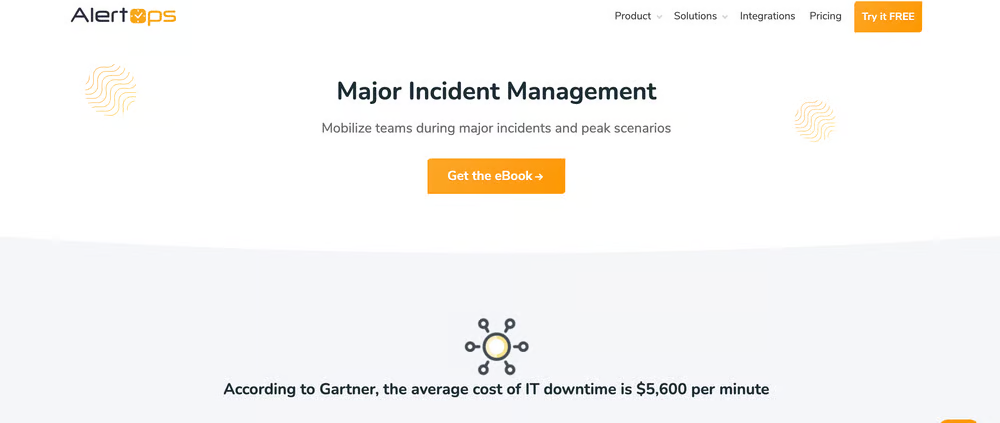
AlertOps is the "Swiss Army Knife" of incident management, prioritizing extreme customizability. It is designed for enterprises that have unique, non-standard workflows that other tools might not easily accommodate.
🌟 Primary Capabilities
- No-code workflow engine for custom logic
- Live voice call routing
- Comprehensive SLA tracking and management
- Multi-modal notification pathways
➕ Advantages
- Highly adaptable to specific organizational hierarchies and rules.
- User-friendly interface allows for quick deployment of basic features.
- Supports legacy and custom in-house application integrations via API.
➖ Limitations
- Mastering the full depth of customization can be a complex undertaking.
- The UI may feel dated compared to newer, "sleeker" competitors.
💲 Pricing Details
A basic starter plan is available for free. Standard tiers cost $8 per user/month, while the $28 Enterprise plan offers the most granular reporting and role management.
9. Incident.io
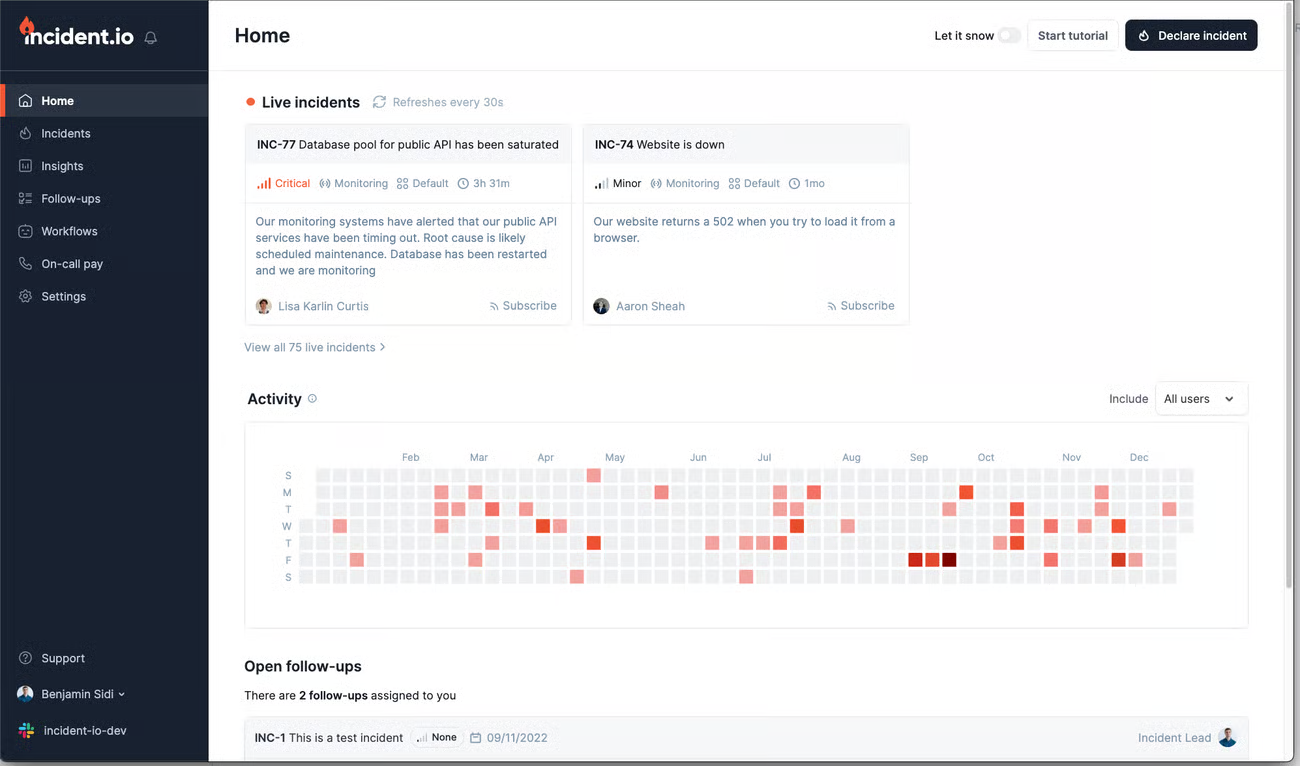
This platform is built specifically to live inside Slack or Microsoft Teams. It treats an incident as a collaborative event rather than just a ticket, automating the administrative overhead of managing an outage.
🌟 Primary Capabilities
- Native Slack/Teams incident command
- Integrated public and private status pages
- AI-generated incident summaries and follow-up tasks
- Global rotation support including "shadow" shifts
➕ Advantages
- Extremely low friction; if you can use Slack, you can use this tool.
- AI automation handles the "busy work" like writing summaries for stakeholders.
- Simplifies the transition from "internal chaos" to "external communication" via status pages.
➖ Limitations
- The public API is not yet comprehensive enough for total lifecycle automation.
- Fewer integrations for HR-specific platforms like Workday.
💲 Pricing Details
Free for up to five users. The "Team" plan is $15 per user/month, while the $25 "Pro" plan introduces advanced analytics and support for complex, multi-schedule rotations.
10. Rootly
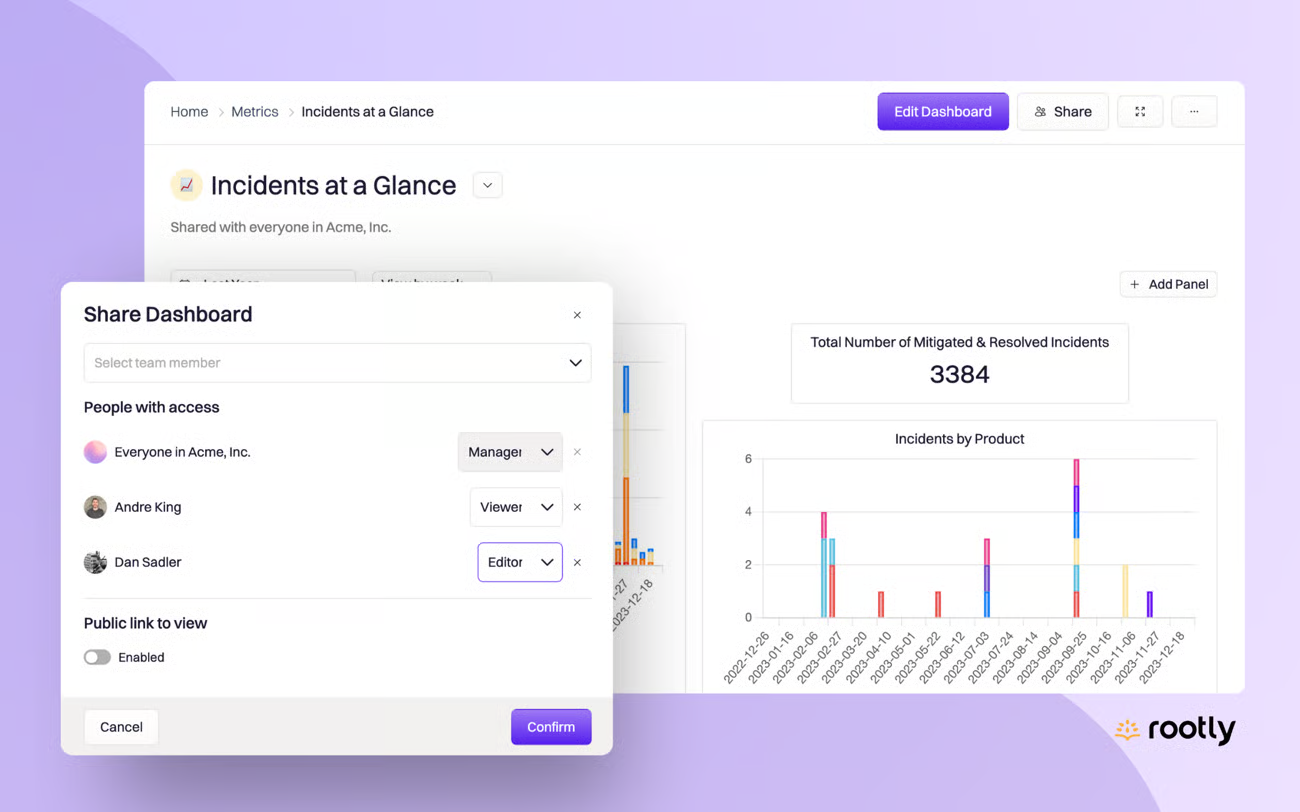
Rootly focuses on making the high-stress environment of incident response feel intuitive. It emphasizes rapid onboarding and "best-practice" templates to get teams up and running without a lengthy configuration phase.
🌟 Primary Capabilities
- Automated task and action-item tracking
- Native "shadow" rotations for trainee onboarding
- Built-in schedule gap detection
- Full lifecycle management from detection to retrospective
➕ Advantages
- Consolidates alerting, response, and post-mortems, reducing tool sprawl.
- Enterprise-grade security and role-based access are standard.
- The interface is modern and designed to reduce cognitive load during crises.
➖ Limitations
- Visual dashboards currently lack the interactivity required for deep-dive data exploration.
- Migrating highly rigid, pre-existing workflows into Rootly can take significant effort.
💲 Pricing Details
The Essentials plan is set at $20 per user/month. Larger organizations requiring custom security configurations can negotiate tailored Scale plans.
Conclusion
Grafana OnCall's archival means teams still on it need a replacement, not just an alternative to weigh at leisure. FluidifyAI Regen is built as the direct migration path, with a one-click import for existing schedules and escalation policies, but the right fit still depends on team size and how much of the rest of the Grafana and Prometheus stack is staying in place.
Teams that want to keep the same self-hosted, no-cost model Grafana OnCall offered get that from Regen's free community edition. Teams willing to pay for a fully managed SaaS product instead gain features like Better Stack's unified observability or PagerDuty's enterprise automation.
Whichever direction fits, the migration is worth doing before Grafana OnCall's now-archived codebase falls further behind on security patches and compatibility with a changing Prometheus and Alertmanager ecosystem.
A note on pricing: the rates referenced above reflect each vendor's publicly published pricing as of October 2026. Vendors change pricing without much notice, so confirm current rates on the vendor's own pricing page before making a purchasing decision.